Deep explanation
Debug Semantic Kernel regression in a multi-tenant AI support platform
Mid-Level debugging interview question on Semantic Kernel within AI Frameworks.
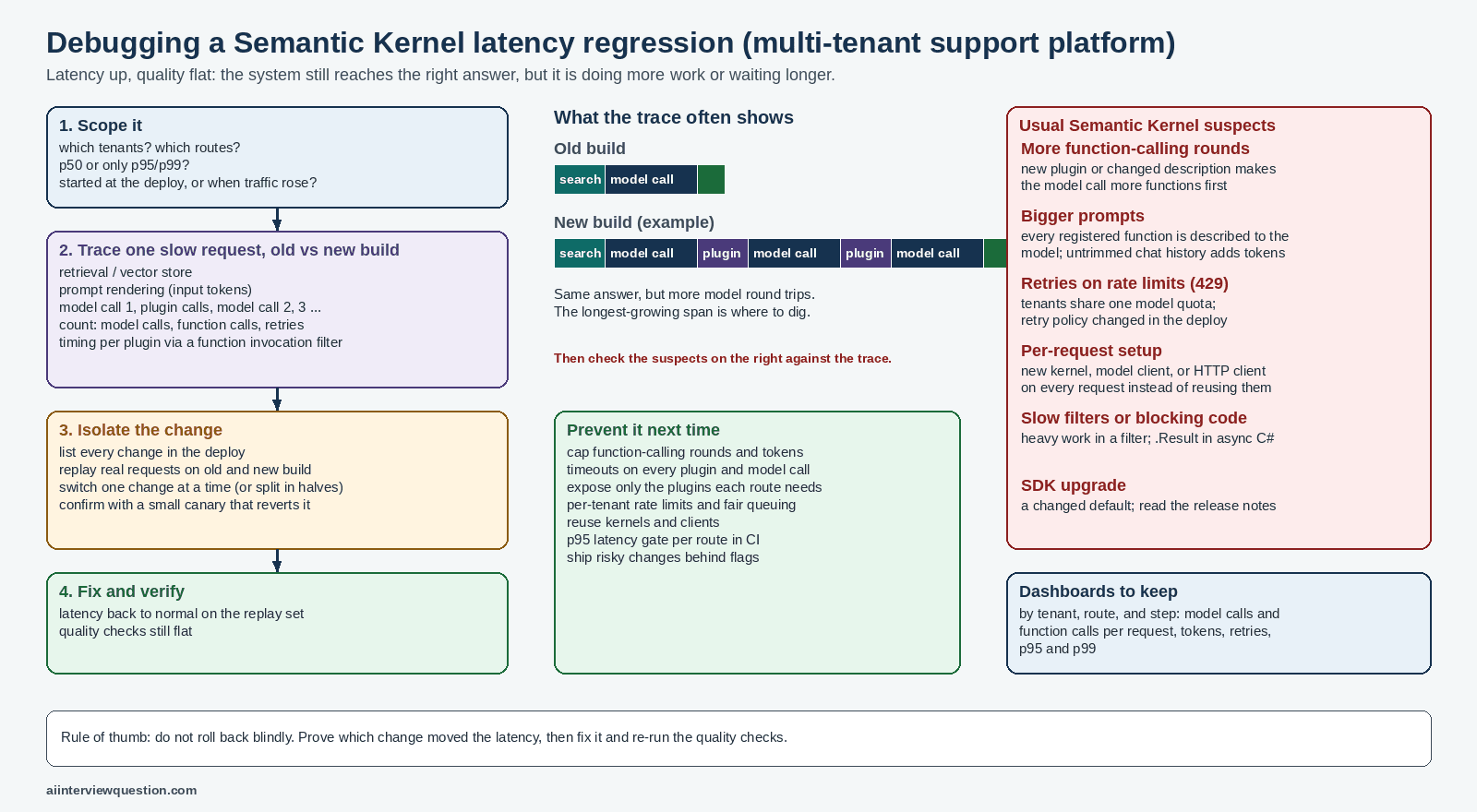
Quick answer
Latency went up but answers stayed the same, so the system is most likely doing extra or slower work, not wrong work. I would first scope the spike (which tenants, which routes, p50 or only p95/p99, did it start exactly at the deploy), then break slow requests into traced steps: retrieval, prompt rendering, each model call, and each plugin call. In Semantic Kernel the usual suspects are more automatic function-calling rounds, bigger prompts from extra plugins or untrimmed chat history, retries on rate limits shared across tenants, and kernels or HTTP clients created per request. Because several subsystems changed in one deploy, I would replay the same real requests against the old and new build and switch changes on one at a time until the latency follows one of them, then fix it, cap it, and add a per-route latency gate so it cannot ship again unnoticed.
The interview question
After a recent release, a multi-tenant AI support platform shows latency spikes while quality remains flat. Logs suggest the problem may involve Semantic Kernel, but multiple subsystems changed in the same deploy. Walk through how you would isolate the root cause.
Deep explanation
Sign in to unlock the full answer
Free accounts include 5 full deep answers. Sign in to start unlocking.
- 20 more sections of deep explanation
- Real-world examples
- Common mistakes
- Interviewer expectations
- Follow-up questions